 Oazukari
Consignment payouts, worked out at month end.
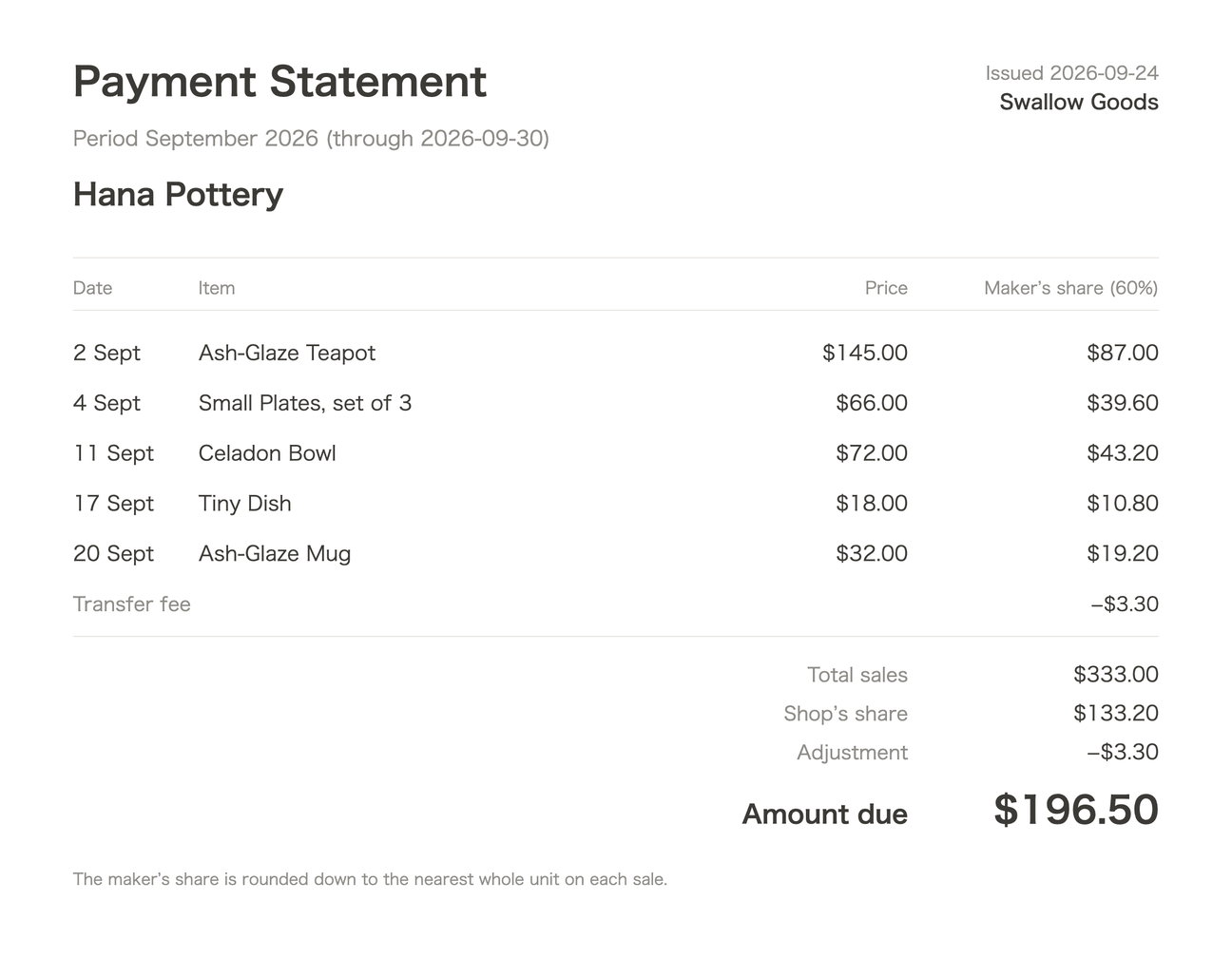
An iPhone app for small shops and galleries that sell makers' work on consignment. Mark what sold, pick a closing date, and each consignor gets a payout statement with your commission taken out — ready to send as an image or a CSV by text or email.
View on the App Store
iPhone & iPad · iOS 15 or later
How it works
- Take inAdd the maker, the item, its price and the maker's share (a photo is optional). The split is saved with the item, so changing your default later never rewrites past payouts.
- Mark soldTap the item on your shelf. A mistake can be undone.
- Close outPick a closing date and confirm. Each consignor's sales, your commission and their payout are worked out and turned into a statement. With many consignors, close out everyone at once.
Who it's for — and who it isn't
A good fit
- Gift shops, cafés and galleries carrying local makers' work
- A handful to about 30 consignors, mostly one-of-a-kind pieces
- You settle up by hand or in a spreadsheet today
Probably not for you
- Antique malls or booth rentals that run every sale through a POS
- Clothing resale that needs sizes, brands or barcodes
- Craft fair organizers collecting booth fees
- If you ring up sales in Square or another POS, you'd be recording each sale twice
What it doesn't do
No inventory counts, no register, no payments or transfers, no consignor portal, no cloud sync. Everything stays on your device — no account, no sign-in. Backups are files you export yourself.
Pricing
Every feature is free for the first 30 days. After that, it stays free for up to 3 consignors and 30 items on hand, and issuing, viewing and backing up statements is always free.
Unlock everything with a one-time purchase — $8.99 in the US. No subscription.
The details
- Currencies
- USD, CAD, GBP, AUD, EUR, JPY, KRW or TWD — chosen once when you start.
- Rounding
- The maker's share is rounded down on each sale; your share is the remainder.
- Adjustments
- Add plus or minus lines, such as a transfer fee.
- Corrections
- A sale voided after close-out shows up as a minus line on the next statement. You can also void a statement and reissue it.
- Language
- The app is in English and Japanese.